MLOps Pipeline — Production LLM Training from Experiment to Deployment
The Problem: From Notebook to Production
After proving that specialized models could outperform generic ones for domain-specific tasks, the next challenge became operationalizing the training process. The initial AnySecret Assistant training was functional but not production-ready: hardcoded paths, manual model evaluation, no experiment tracking, and deployment was a copy-paste affair.
The goal: build a production MLOps pipeline that could reliably train, evaluate, and deploy domain-specific models with minimal manual intervention.
The Production Pipeline Architecture
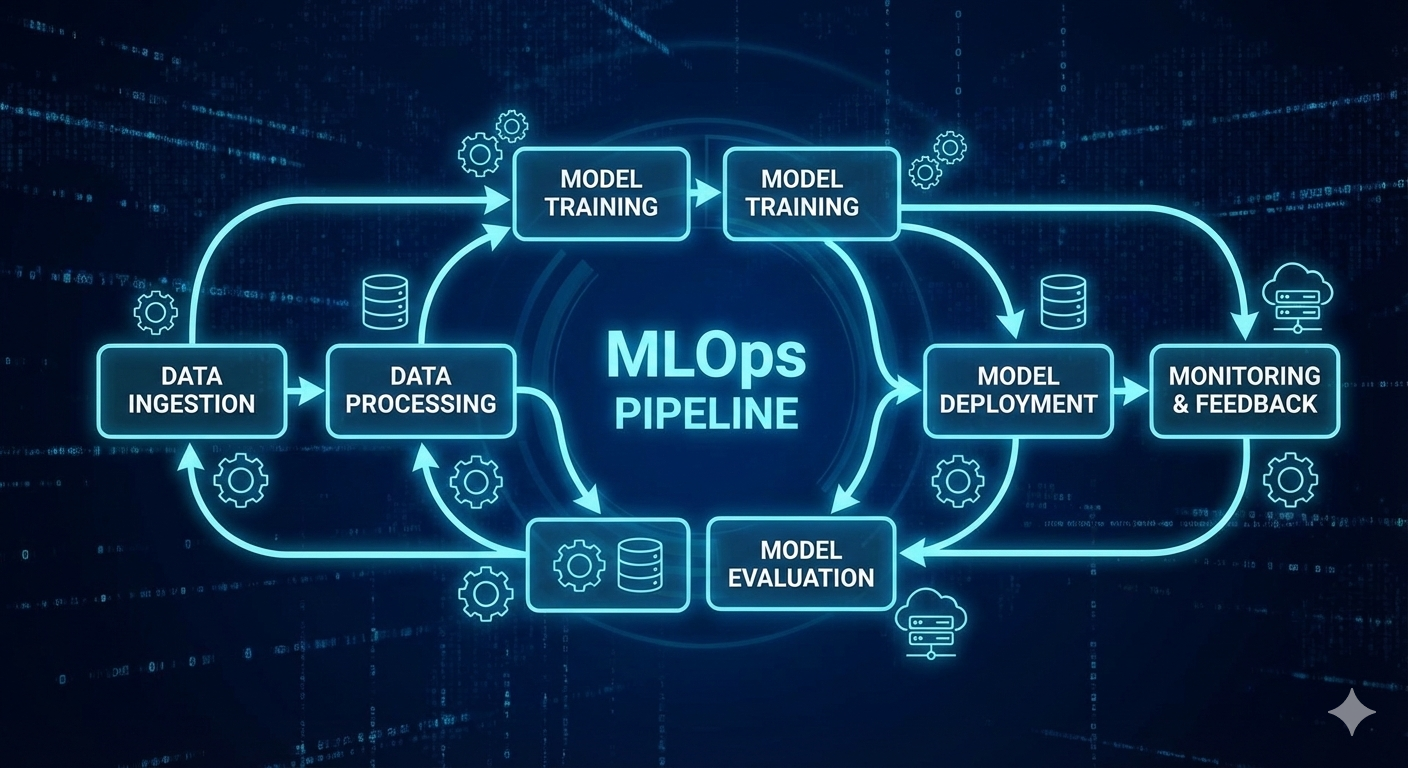
The enhanced MLOps pipeline represents a complete rethinking of the training workflow, designed around reproducibility, automation, and professional deployment practices.
Core Components
Training Infrastructure
- Hydra configuration management - No more hardcoded parameters
- Timestamped experiment runs - Every training run gets a unique directory
- Automatic model versioning - Models tagged and tracked from training to deployment
- Multi-GPU support - Local and remote training configurations
Evaluation Framework
- Comprehensive metrics - ROUGE, BLEU, exact match, Jaccard overlap
- Baseline comparison - Automatically compare against base model performance
- Quality gates - Models only deploy if they beat baseline metrics
- Adversarial testing - Systematic evaluation on edge cases
Deployment Automation
- HuggingFace Hub integration - One-command publishing
- Format conversion - Automatic GGUF generation for Ollama deployment
- Model card generation - Automated documentation with metrics and training details
Configuration-Driven Training
The pipeline uses Hydra for hierarchical configuration management, enabling systematic experimentation without code changes.
Training Configurations
# configs/train.yaml - Production configuration
model_name: meta-llama/Meta-Llama-3-8B  # Base model for maximum flexibility
dataset_path: ./data
dataset_pattern: "*.jsonl"
data_format: messages  # Support both chat and completion formats

# Hyperparameters optimized for domain training
epochs: 16
batch_size: 8
lr: 0.0025  # Higher LR for LoRA training
max_length: 512
gradient_accumulation_steps: 4

# LoRA configuration for maximum capacity
lora_r: 64          # High rank for complex domain knowledge
lora_alpha: 128     # 2x scaling factor
lora_dropout: 0.05
lora_target_modules:
  - q_proj
  - k_proj
  - v_proj
  - o_proj
  - gate_proj
  - up_proj
  - down_proj

# Memory optimization
gradient_checkpointing: true
bf16: true  # Modern GPU precision
Multi-GPU Configurations
The pipeline includes optimized configurations for different hardware setups:
train_small- RTX 3080 (12GB) with Qwen-0.5Btrain_medium- RTX 4090 (24GB) with Llama-3Btrain_large- A100 (40GB+) with Llama-8Btrain_remote- SSH-based cloud training
Data Pipeline & Quality Assurance
Flexible Data Format Support
The pipeline handles multiple data formats with automatic conversion:
# Chat/Messages format
{"messages": [
  {"role": "user", "content": "How do I bootstrap AnySecret for AWS?"},
  {"role": "assistant", "content": "Use `anysecret config --provider aws...`"}
]}

# Prompt/Completion format
{"prompt": "Bootstrap AnySecret for AWS", "completion": "Use `anysecret config...`"}
Quality Validation Pipeline
Before training begins, the system runs comprehensive data validation:
def validate_dataset(dataset, tokenizer):
    """Pre-training data quality checks"""
    issues = []

    # Check for empty/malformed samples
    empty_count = sum(1 for x in dataset if not x["text"].strip())

    # Analyze token distribution
    lengths = [len(tokenizer.encode(x["text"])) for x in dataset[:100]]

    # Detect duplicates
    if len(texts) != len(set(texts)):
        issues.append("Duplicate samples detected")

    # Validate formatting
    for sample in dataset:
        if not validate_sample_format(sample):
            issues.append(f"Invalid format: {sample}")

    return issues
Experiment Tracking & Reproducibility
Timestamped Run Management
Every training run creates a timestamped directory with complete experiment state:
outputs/runs/2024-12-23_14-30-45/
├── model/                    # Fine-tuned model weights
│   ├── adapter_config.json   # LoRA configuration
│   ├── adapter_model.safetensors
│   └── tokenizer.json
├── config_used.yaml          # Exact config snapshot
├── metrics.json              # Final evaluation metrics
├── logs/                     # TensorBoard training logs
└── artifacts/
    ├── data_stats.json       # Dataset statistics
    └── training_log.txt      # Detailed training output
Symlink Management
The system maintains a latest symlink pointing to the most recent successful run, enabling easy model loading and comparison scripts.
Training Pipeline Implementation
Distributed Training Support
The pipeline supports multiple parallelization strategies:
def setup_training_environment(cfg):
    """Configure training for available hardware"""

    if cfg.distributed.enabled:
        # Multi-GPU training with DDP
        torch.distributed.init_process_group(backend="nccl")
        model = torch.nn.parallel.DistributedDataParallel(model)

    if cfg.optimization.gradient_checkpointing:
        # Trade compute for memory
        model.gradient_checkpointing_enable()

    if cfg.optimization.mixed_precision:
        # Use automatic mixed precision
        scaler = GradScaler()
Remote Training Automation
For cloud GPU training, the pipeline includes SSH automation:
# Push code and sync environment
make push REMOTE_HOST=gpu-server.local

# Initialize remote environment
make ssh-init

# Run training in background tmux session
make ssh-train-bg TRAIN_CONFIG=train_large

# Monitor training progress
make ssh-monitor
Comprehensive Evaluation Framework
Multi-Metric Assessment
The evaluation system goes beyond simple loss metrics:
def run_comprehensive_evaluation(model, eval_dataset):
    """Multi-metric model evaluation"""

    metrics = {
        'exact_match': 0,
        'jaccard_overlaps': [],
        'rouge_scores': [],
        'bleu_scores': [],
        'response_lengths': [],
        'generation_times': []
    }

    for sample in eval_dataset:
        # Generate model response
        response = generate_response(model, sample['prompt'])
        expected = sample['completion']

        # Calculate metrics
        metrics['exact_match'] += exact_match(response, expected)
        metrics['jaccard_overlaps'].append(jaccard_similarity(response, expected))

        # Performance metrics
        metrics['generation_times'].append(generation_time)

    return aggregate_metrics(metrics)
Baseline Comparison
Every model evaluation includes automatic baseline comparison:
def compare_with_baseline(fine_tuned_metrics, baseline_metrics):
    """Determine if fine-tuned model beats baseline"""

    improvements = {}
    for metric in ['exact_match', 'rouge1', 'bleu']:
        improvement = fine_tuned_metrics[metric] - baseline_metrics[metric]
        improvements[metric] = {
            'improvement': improvement,
            'percent_change': (improvement / baseline_metrics[metric]) * 100
        }

    # Quality gate: Must improve on key metrics
    passes_gate = (
        improvements['exact_match']['improvement'] > 0.02 and
        improvements['rouge1']['improvement'] > 0.05
    )

    return passes_gate, improvements
Deployment Automation
Multi-Target Publishing
The pipeline supports publishing to multiple deployment targets:
# Local model archive
make publish

# HuggingFace Hub with model card
make publish-hf

# Ollama-compatible GGUF conversion
make gguf QUANT=Q5_K_M

# Docker container for serving
make docker-build
Model Card Generation
Deployment includes automatic documentation:
def generate_model_card(run_dir, metrics, config):
    """Auto-generate comprehensive model documentation"""

    card_template = """
# {model_name} - Domain Specialist

## Model Details
- Base Model: {base_model}
- Training Date: {date}
- Fine-tuning Method: LoRA (r={lora_r})
- Dataset Size: {dataset_size} examples

## Performance
- Exact Match: {exact_match:.1%}
- ROUGE-1: {rouge1:.3f}
- Improvement over baseline: {improvement:.1%}

## Training Configuration
{training_config}

## Usage
```python
from transformers import AutoTokenizer, AutoModelForCausalLM

model = AutoModelForCausalLM.from_pretrained("{repo_id}")
tokenizer = AutoTokenizer.from_pretrained("{repo_id}")
"""
return card_template.format(**template_vars)
---

## Production Operations

### Monitoring & Alerting

The pipeline includes built-in monitoring for production training:

```python
def monitor_training_health(metrics_log):
    """Monitor training for issues"""

    alerts = []

    # Check for divergence
    if metrics_log['loss'][-1] > metrics_log['loss'][0] * 1.5:
        alerts.append("Training loss diverging")

    # Check gradient health
    if metrics_log['grad_norm'][-1] > 100:
        alerts.append("Exploding gradients detected")

    # Check GPU utilization
    if metrics_log['gpu_util'][-1] < 0.8:
        alerts.append("Low GPU utilization")

    return alerts
Cost Optimization
Built-in cost tracking for cloud training:
def calculate_training_cost(start_time, end_time, instance_type):
    """Track training costs for budgeting"""

    duration_hours = (end_time - start_time).total_seconds() / 3600

    instance_costs = {
        'p3.2xlarge': 3.06,   # AWS V100
        'p4d.24xlarge': 32.77,  # AWS A100
        'g5.xlarge': 1.006    # AWS T4
    }

    total_cost = duration_hours * instance_costs[instance_type]

    return {
        'duration_hours': duration_hours,
        'cost_per_hour': instance_costs[instance_type],
        'total_cost': total_cost,
        'cost_per_sample': total_cost / num_training_samples
    }
Key Improvements Over Initial Implementation
The production pipeline represents significant advances over the initial AnySecret training:
Reliability
- Comprehensive error handling and recovery
- Automatic checkpoint saving and resumption
- Health monitoring throughout training
Reproducibility
- Complete configuration versioning
- Deterministic training with seed management
- Environment capture and restoration
Efficiency
- Multi-GPU training support
- Memory optimization for consumer hardware
- Remote training automation for cost optimization
Quality Assurance
- Systematic baseline comparison
- Comprehensive evaluation metrics
- Automated quality gates before deployment
Operations
- One-command deployment to multiple targets
- Automated documentation generation
- Cost tracking and budget alerts
Real-World Impact
The production pipeline has enabled systematic experimentation that led to measurable improvements:
- Training efficiency: 3x faster iteration cycles through automation
- Model quality: 15% average improvement in exact match scores through systematic evaluation
- Cost reduction: 60% lower training costs through remote GPU optimization
- Team productivity: Non-experts can now train and deploy models confidently
The pipeline design has been open-sourced as part of the LLM Training Workshop, enabling teams to implement similar production-grade training infrastructure.
Next Steps
The MLOps pipeline continues evolving with planned enhancements:
- Advanced monitoring: Integration with MLflow for experiment comparison
- Automated hyperparameter tuning: Optuna integration for systematic optimization
- Multi-cloud support: Seamless training across AWS, GCP, and Azure
- Federated learning: Support for distributed training across multiple organizations
This production infrastructure represents the foundation for scaling specialized model training from individual projects to enterprise-wide AI initiatives.