1. Introduction
The web holds endless data, but pulling it out cleanly is still a mess. APIs are limited, and scrapers break often. This series explores a better way — a queryable interface for extracting structured data directly from websites.
Born from my PhD research on OXPath, I’ve since rebuilt the idea into something lighter: dr-web-engine, a JSON-based querying tool designed for modern scraping challenges. The goal? Make web data access feel more like querying a database.
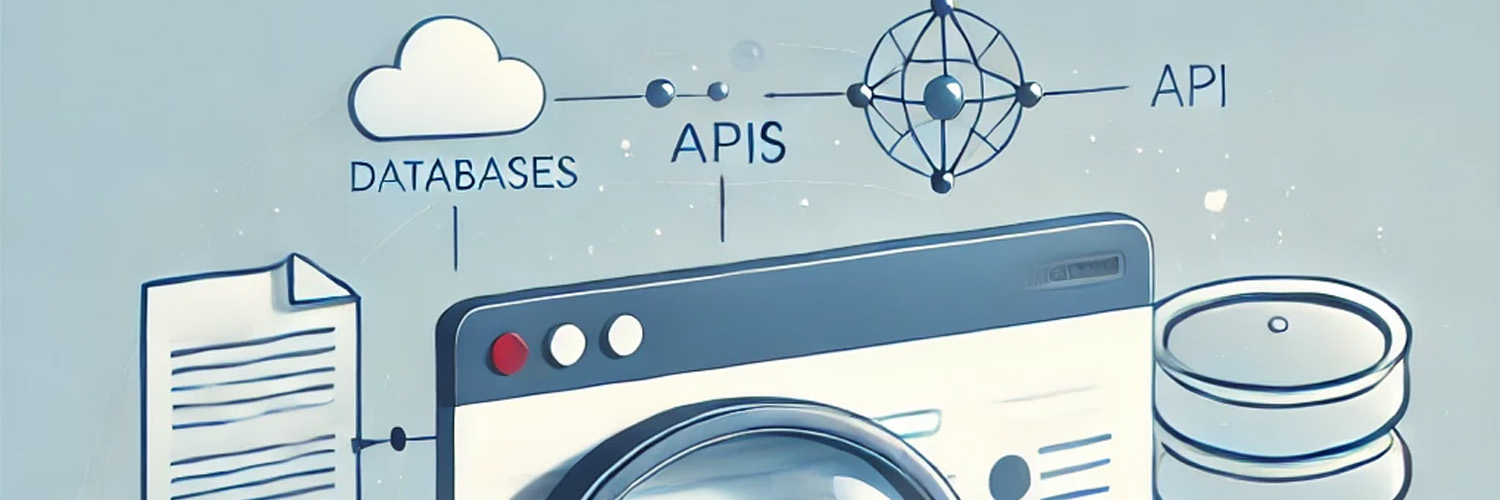
In this series, we’ll go from problem space to working code, including:
- Why traditional scraping is fragile
- What OXPath nailed (and where it failed)
- How
dr-web-engineimproves flexibility - Building a sustainable open-source ecosystem
1.1 Let’s make the web a little more queryable.
From OXPath to a Modern Solution
This series builds on my PhD research, where I explored scalable web scraping architectures using OXPath, an extension of XPath designed to query and scrape web content effectively. While OXPath provided a structured mechanism for extracting web data, I encountered significant roadblocks due to its reliance on legacy libraries and its rigidity in terms of extensibility.
To overcome these limitations, I developed dr-web-engine, a lightweight implementation of OXPath that replaces XPath-based querying with a JSON-based approach, making it more flexible and developer-friendly. While dr-web-engine proved useful in my research, it was never fully developed into a sustainable open-source project.
2. Building a Data Retrieval Web Engine
2.1. The Vision: A Queryable Web
The Queryable Web is about making web data accessible to everyone. Imagine being able to write a query like this:
SELECT title, url, description FROM google.com WHERE search = 'Hello World';and getting structured results from a website, just like you would from a database. While we’re not quite there yet, the Data Retrieval Engine is a step in that direction. It allows users to define extraction rules in a simple, JSON-based query language, making it easier to extract semi-structured web data.
2.2. Why Build a Data Retrieval Engine?
Traditional web scraping often involves writing custom scripts for each website. This approach is time-consuming, brittle, and hard to maintain. Websites change their structure frequently, and keeping up with these changes can be a nightmare. Moreover, extracting nested data (like reviews for each sitter) or handling pagination requires additional logic, making the scripts even more complex. The Data Retrieval Engine solves these problems by providing a declarative query language that abstracts away the underlying implementation details. Instead of writing code, users define what data to extract and how to extract it, using a simple JSON or YAML format.
2.3. Designing the Query Language
The first step is to design a query language that could express extraction rules clearly. For example the following query defines the extraction of full names, ratings, images and distance from a sitters search:
{
  "url": "https://www.childcare.co.uk/search/Babysitters/BR6+9AA",
  "steps": [
    {
      "xpath": "//div[contains(@class, 'search-result')]",
      "fields": {
        "full_name": ".//div[contains(@class, 'items-baseline')]/div[1]/span[1]/text()",
        "rating": ".//div[contains(@class, 'rating')]/span[1]/text()",
        "distance": ".//span[contains(@class, 'distance')]/span[2]/normalize-space()",
        "image_url": ".//div[contains(@class, 'profile-image')]//img[1]/@src"
      }
    }
  ]
}
This query tells the engine to:
- Go to the specified URL.
- Find all elements matching the XPath //div[contains(@class, ‘search-result’)].
- Extract the full_name, rating, distance, and image_url for each result.
The problem is not new and in fact we are expanding on the concepts introduced by OXPath, a web retrieval engine proposed and implemented at university of Oxford.
OXPath is a web data extraction language that extends XPath. OXPath is specifically designed for extracting structured data from web pages, which are often represented in HTML (a form of XML). It allows users to specify patterns and paths to locate and extract data from web pages, making it useful for web scraping and data mining tasks.
Key features of OXPath:
-
Navigation and Extraction: OXPath extends XPath by adding capabilities for interacting with web pages, such as clicking buttons, filling out forms, and navigating through multiple pages.
-
Stateful Interaction: Unlike XPath, which is stateless, OXPath can handle stateful interactions with web pages, such as logging in, navigating through pagination, or interacting with dynamic content.
-
Declarative Syntax: OXPath uses a declarative syntax, allowing users to specify what data to extract without needing to write complex procedural code.
-
Integration with Web Browsers: OXPath can be integrated with web browsers to simulate user interactions, making it suitable for extracting data from modern, JavaScript-heavy websites.
OXPath is particularly useful in scenarios where data extraction requires interaction with the web page, such as scraping data from behind login forms, extracting data from multi-step processes, or dealing with dynamic content loaded via AJAX.
These are some of the nice features of the current implementation of oxpath, as described by the authors. However, the current implementation has not seen great involvement by the community and has become legacy using some old frameworks and versions that makes it prohibitive to contribute and use in the current day. For example the web driver and selenium framework use a fixed version which is now almost 10 years old, fixing the browser version to about Firefox v50. This becomes a big issue as modern web pages won’t work with old browsers at best and at worst will completely block access. Additionally, considering the state of art for web technologies, XPath is less used and augmented syntax on Json or Yaml is likely to be more natural and less complex.
Why not just use OXPath?
OXPath has solid concepts — but the tooling is stuck in the past (think Firefox 50). It’s also hard to maintain or extend. XPath’s steep learning curve doesn’t help either. We wanted something modern, flexible, and community-friendly.
2.4. The CLI Tool
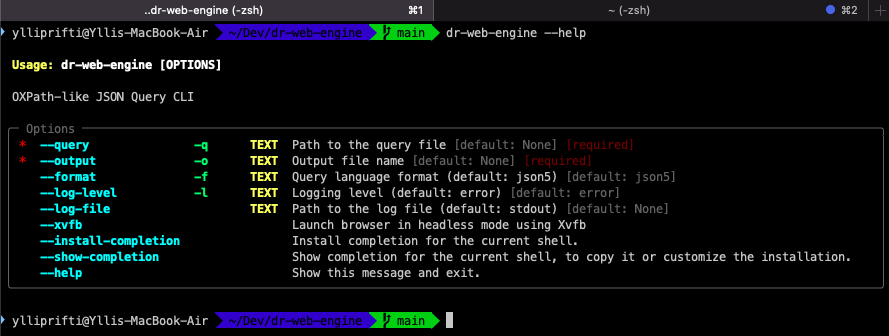
We’re building a CLI like OXPath’s, with improvements. Example usage:
python cli.py -q query.json5 -f json5 -o sitters.jsonUnder the hood:
parser.add_argument("-q", "--query", required=True, help="Path to the query file")
parser.add_argument("-o", "--output", required=True, help="Output file name")
parser.add_argument("-f", "--format", default="json5", choices=["json5", "yaml"])
parser.add_argument("-l", "--log-level", default="info", choices=["error", "warning", "info", "debug"])
parser.add_argument("--log-file", help="Path to the log file (default: stdout)")
The goal is compatibility with OXPath-style workflows, minus the baggage.
2.5. Why JSON5 for Queries?
OXPath is powerful, but its syntax is dense and hard to maintain. Our JSON5-based queries:
- Are easy to read
- Mirror the output structure
- Support comments (thanks, JSON5)
- Are extensible
Example input/output:
{
  "url": "https://www.childcare.co.uk/search/Babysitters/BR6+9AA",
  "steps": [
    {
      "xpath": "//div[contains(@class, 'search-result')]",
      "fields": {
        "full_name": ".//div[contains(@class, 'items-baseline')]/div[1]/span[1]/text()",
        "rating": ".//div[contains(@class, 'rating')]/span[1]/text()",
        "distance": ".//div[contains(@class, 'distance')]/span[2]/normalize-space()",
        "image_url": ".//div[contains(@class, 'profile-image')]//img[1]/@src"
      }
    }
  ]
}
[
{
"full_name": "John Doe",
"rating": "5.0",
"distance": "1.2 miles",
"image_url": "https://example.com/john-doe.jpg"
},
...
]2.6. Logging & Debugging
Helpful logging makes dev life easier. We support:
--log-level(error,warning,info,debug)--log-fileto pipe logs to disk
Sample CLI call:
python cli.py -q query.json5 -f json5 -l debug --log-file=debug.log -o sitters.jsonExample log output:
2025-02-09 21:33:47 - DEBUG - Using selector: KqueueSelector
2025-02-09 21:33:50 - INFO - Navigating to: https://childcare.co.uk/search
2025-02-09 21:33:52 - INFO - Found 20 elements with XPath
2025-02-09 21:33:53 - INFO - Results saved to sitters.json
2.7. What’s Next
- Pagination and Kleene star support
- Authentication and CAPTCHA handling
- Community-friendly repo structure
- Publishing a pip package update
Conclusion
We’ve built a powerful new engine to extract structured data using clean, declarative queries. It’s modular, extensible, and actually pleasant to use. Still lots to do — but the foundation is here.
Want to contribute? Try it out, share feedback, or just star the repo:
3. Ready for Release: Making the dr-web-engine Public
As we move toward a stable release of dr-web-engine, we’ve focused on making it ready for public use and contribution. That means:
- Improved test coverage
- Cleaner folder structure
- CI/CD setup
- Public GitHub repo
- PyPI package publishing
3.1 Improving Testing
To support proper testing, we decoupled Playwright by introducing a BrowserClient interface. This enables mock testing and paves the way for future browser support.
class BrowserClient(ABC):
    @abstractmethod
    def navigate(self, url: str) -> None: pass

    @abstractmethod
    def query_selector(self, selector: str) -> Any: pass

    @abstractmethod
    def close(self) -> None: pass
Playwright and mock implementations help us cover different environments, including CI runners.
from playwright.sync_api import sync_playwright, Playwright

class PlaywrightClient(BrowserClient, ABC):
    """Concrete implementation of BrowserClient using Playwright."""

    def __init__(self, xvfb: bool = False):
        self.playwright: Playwright | None = None
        self.browser = None
        self.page = None
        self.xvfb = xvfb
...
    def navigate(self, url: str) -> None:
        """Navigate to the given URL."""
        self.page.goto(url)

    def query_selector(self, selector: str) -> Any:
        """Return an element matching the given selector."""
        return self.page.query_selector(selector)
from unittest.mock import MagicMock

class MockBrowserClient(BrowserClient):
    def __init__(self):
        self.page = MagicMock()
        self.browser = MagicMock()
        self.url = "https://example.com"

...

    def navigate(self, url: str) -> None:
        self.url = url

    def query_selector(self, selector: str) -> Any:
        print(f"Querying selector: {selector}")  # Debugging

        if selector == ".//div[contains(@class, 'items-baseline')]/div[1]/span[1]/text()":
            return MockElement("Test Name")
        elif selector == ".//div[contains(@class, 'rating')]/span[1]/text()":
            return MockElement("5 stars")
        elif selector == ".//div[contains(@class, 'profile-image')]//img[1]/@src":
            return MockElement("https://example.com/image.jpg")

        print(f"No match for selector: {selector}")
        return None
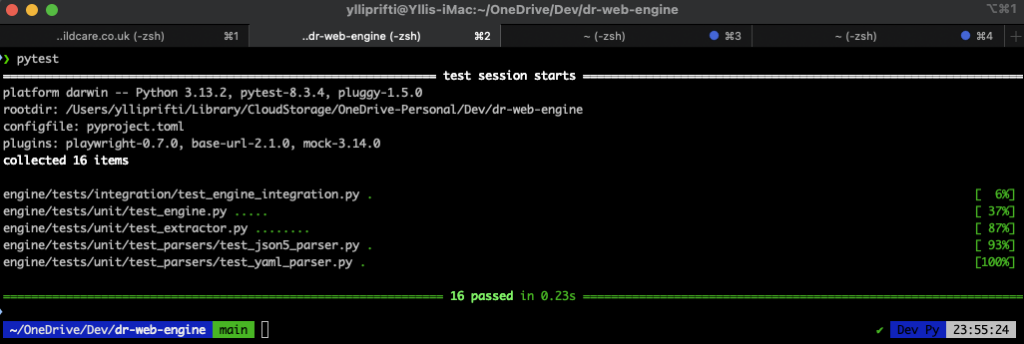
At the end of this process we wrote about 16 unit tests covering the engine, the extraction and the parsers.
3.2 Folder Structure
We refactored the repo for clarity and contributor-friendliness:
.github/
├── ISSUE_TEMPLATE/
├── workflows/
cli/
├── __init__.py
├── cli.py
engine/
├── data/
│   ├── data.json
│   ├── query.json5
│   ├── query.yaml
│   ├── sitters.json
├── tests/
│   ├── integration/
│   ├── unit/
│   ├── __init__.py
│   ├── conftest.py
web_engine/
├── base/
├── parsers/
├── utils/
│   ├── __init__.py
│   ├── engine.py
│   ├── extractor.py
│   ├── models.py
│   ├── utils.py
.gitignore
CODE_OF_CONDUCT.md
CONTRIBUTING.md
LICENSE
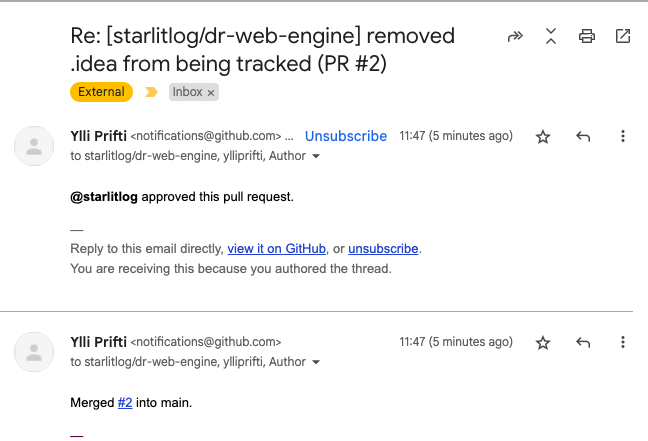
At this point the code is ready to be uploaded to an open repository, for which (as with any other open source code discussed on this starlit (b)log) we are going to use GitHub and, more precisely, for ‘doctor web’ https://github.com/starlitlog/dr-web-engine
3.3 Public GitHub Repo
The code is now fully open source: 🔗 https://github.com/starlitlog/dr-web-engine
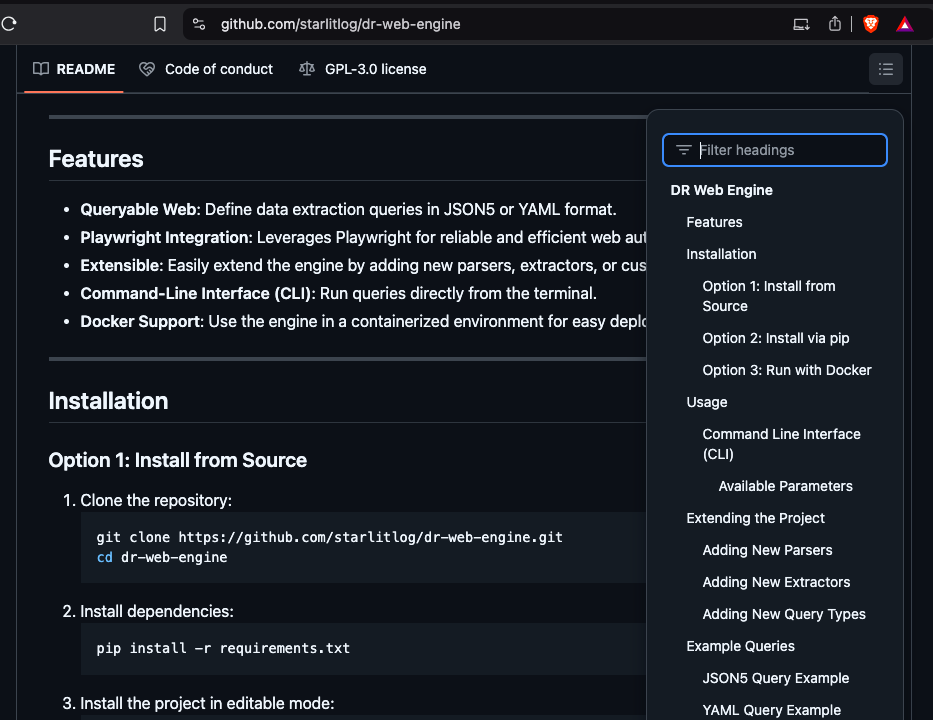
We’ve added a CONTRIBUTING guide, CI for tests, branch protection rules, and PR review requirements.
In addition to the changes above, we set up the repository for community contribution. Some of these configurations are:
- Include a code of conduct
- Include a Contributions README file
- Set up the repository for auto running tests with every commit
- Require approval before commits to main branch
- Suggest forking and rising PRs to contributors
- Test the configuration works (I forked, raised PRs, checked CI was triggered, approved and merged the PR)
3.4 Publishing on PyPI
You can now install the engine with:
pip install dr-web-engineWe’ve set up GitHub Actions to auto-publish tagged releases using release_v*. The original 2020 PyPI release has been replaced with this complete rewrite.
Let’s rewind the steps we took to re-publish the newest version of doctor web. Firstly, as stated in the introduction of these series, I wrote and published dr-web-engine as a side project during my doctoral research. I was collecting data from multiple web sources and had written a K8S based scalable scraping engine (see chapter 5 and 6 of my thesis: https://eprints.bbk.ac.uk/id/eprint/52517/). I had written many queries for scrapping using OXPath, however OXPath was showing some of its limits because of lack of updates. To overcome some of these, I set with the intention to re-write parts of OXPath using python (rather than Java) and changing the query structure from XPath basis to JSON. That version was published on pypi.org as a pre-release and the last version was updated on 6th of September 2020: https://pypi.org/project/dr-web-engine/0.3.2.2b0/. This is a complete re-write to make it easier for community contributions, but holding to some of the same concepts.
With that being said, we published the latest version of our build to pypi.org (https://pypi.org/project/dr-web-engine/) and more importantly, set up the continues delivery configuration for publishing the newest version from GitHub. In addition to our CI action described above, we set up an additional action that is triggered every time a new commit is tagged with release_v*. The action will test, build and publish the new version to pypi.org. The image below shows the latest build and release of the version currently being the latest version on pypi.org.
3.5 What’s Next
Future steps:
- Write and upload a pre-print to arXiv
- Create a roadmap and call for features
- Build slides and onboarding docs
- Explore OXPath-style actions (click, submit, etc.)
4. Publishing a Report About Doctor Web
With dr-web-engine now open source and published on both Docker Hub and PyPI, we wanted to document the motivations, innovations, and comparisons behind the project in a formal research report.
4.1 Literature Review
We examined two primary angles:
-
Web Queryability: Structured web data via RDF/JSON-LD has seen limited real-world adoption. Despite elegant solutions (e.g. SPARQL), most web content remains locked in unstructured HTML. APIs offer better monetization and control, sidelining the vision of a fully structured web.
-
Web Scraping: While tools like Scrapy help developers script extractions, our focus was on queryability — turning unstructured web content into structured JSON using high-level, declarative queries.
OXPath was an earlier attempt at this. We found its ideas solid, but its tech stack (Java + Firefox 50) made it unviable. We wanted to:
- Modernize the language using JSON5/YAML for cleaner queries and backward compatibility
- Support extensibility with modular design and open-source collaboration
- Benchmark performance and improve browser interaction, memory, and CPU usage
4.2 Benchmarking and Goals
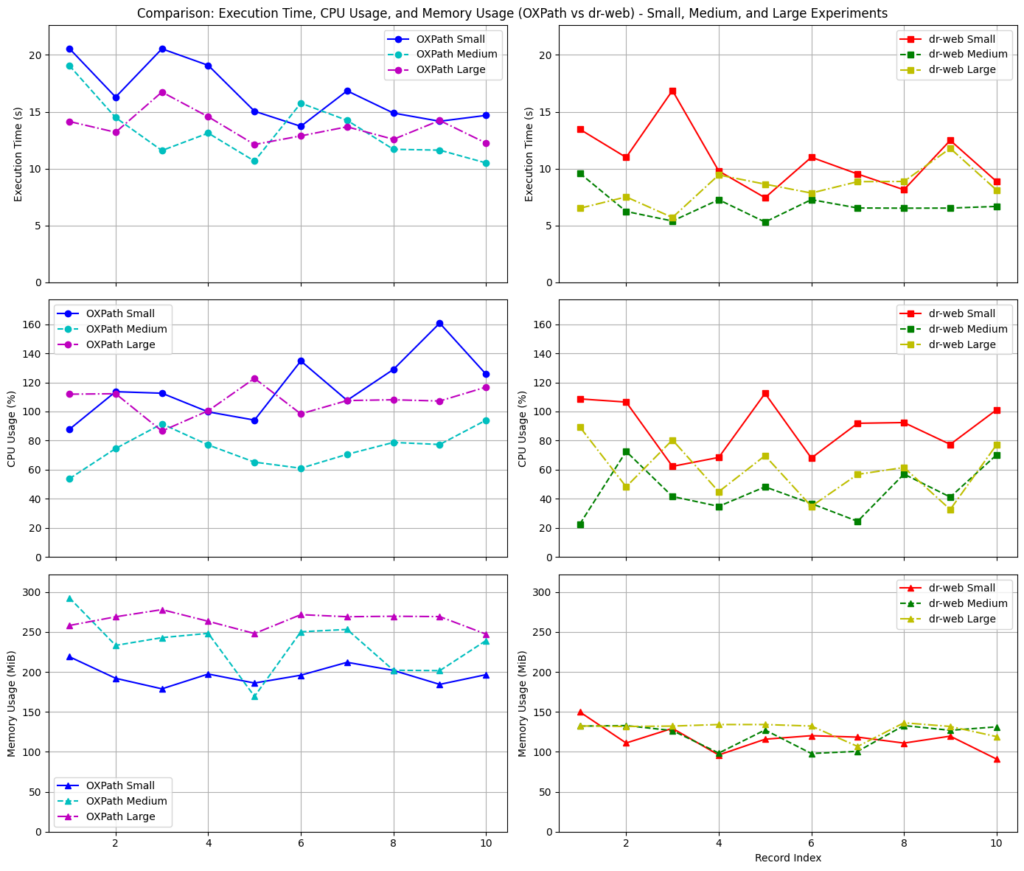
The research paper includes performance comparisons between dr-web-engine and OXPath, highlighting significant improvements in:
- Execution time
- Memory footprint
- Processing power usage
We hope the report brings value to the community and sparks collaboration.